Nimbus Contacts3.2
Publisher Description
Nimbus allows you to create a text cloud of your favourite contacts and rearrange them to your liking.
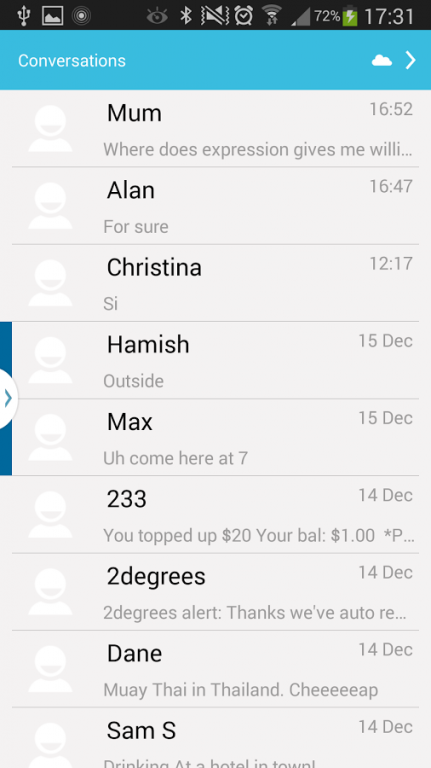
Nimbus also places all three of your standard communication apps in one place so your messaging conversations, phone dialer and contacts lists are all within one easy swipe of your finger.
To get started, click on the menu button down the bottom right in your middle page and click on the cloud icon to begin editing your text cloud. Make sure you click the info icon down the bottom left to get some hints how manipulate your cloud.
Try fling left and right.
If you don't have any contacts you might get some errors, please post these errors and try again once you've made some friends
Please rate with 5 stars or donate if you enjoy the app
We're very much still activity developing so please feel free to send us your bug reports at develectronix@gmail.com
About Nimbus Contacts
The company that develops Nimbus Contacts is Develectronix. The latest version released by its developer is 3.2. This app was rated by 1 users of our site and has an average rating of 5.0.
To install Nimbus Contacts on your Android device, just click the green Continue To App button above to start the installation process. The app is listed on our website since 2014-09-03 and was downloaded 7 times. We have already checked if the download link is safe, however for your own protection we recommend that you scan the downloaded app with your antivirus. Your antivirus may detect the Nimbus Contacts as malware as malware if the download link to com.develectronix.matt is broken.
How to install Nimbus Contacts on your Android device:
- Click on the Continue To App button on our website. This will redirect you to Google Play.
- Once the Nimbus Contacts is shown in the Google Play listing of your Android device, you can start its download and installation. Tap on the Install button located below the search bar and to the right of the app icon.
- A pop-up window with the permissions required by Nimbus Contacts will be shown. Click on Accept to continue the process.
- Nimbus Contacts will be downloaded onto your device, displaying a progress. Once the download completes, the installation will start and you'll get a notification after the installation is finished.
Program Details
System requirements
Download information
Pricing
Version History
version 3.2
posted on 2014-09-03
Automatic nick naming of new cloud contact added
version 2.0
posted on 2013-04-07
Several fixes and updates
